Git Commit Message Helper is an IntelliJ Platform plugin for writing cleaner, more consistent commit messages without leaving the IDE.
It combines a structured commit editor, customizable Conventional Commit style templates, and provider-aware LLM assistance into one workflow. You can create commit messages manually, generate them from selected changes, reformat existing drafts, and tune the final output to match your team's conventions.
This project started as an enhanced version of git-commit-template and has evolved into a more configurable commit authoring assistant.
Install from the JetBrains Marketplace.
- Adds commit actions directly to the IntelliJ commit message panel.
- Helps compose commit messages with structured fields such as
type,scope,subject,body,BREAKING CHANGE,Closes, andskip ci. - Supports customizable commit templates powered by Apache Velocity.
- Lets you manage allowed commit types and their descriptions.
- Can generate a commit message from the selected git changes with an LLM.
- Can rewrite an existing commit message to match the configured template.
- Can parse an existing commit message back into structured fields with Smart Echo when opening the manual editor.
- Supports optional skip-CI presets and configurable field visibility.
- Includes localized resources for English, Chinese, Japanese, and Korean.
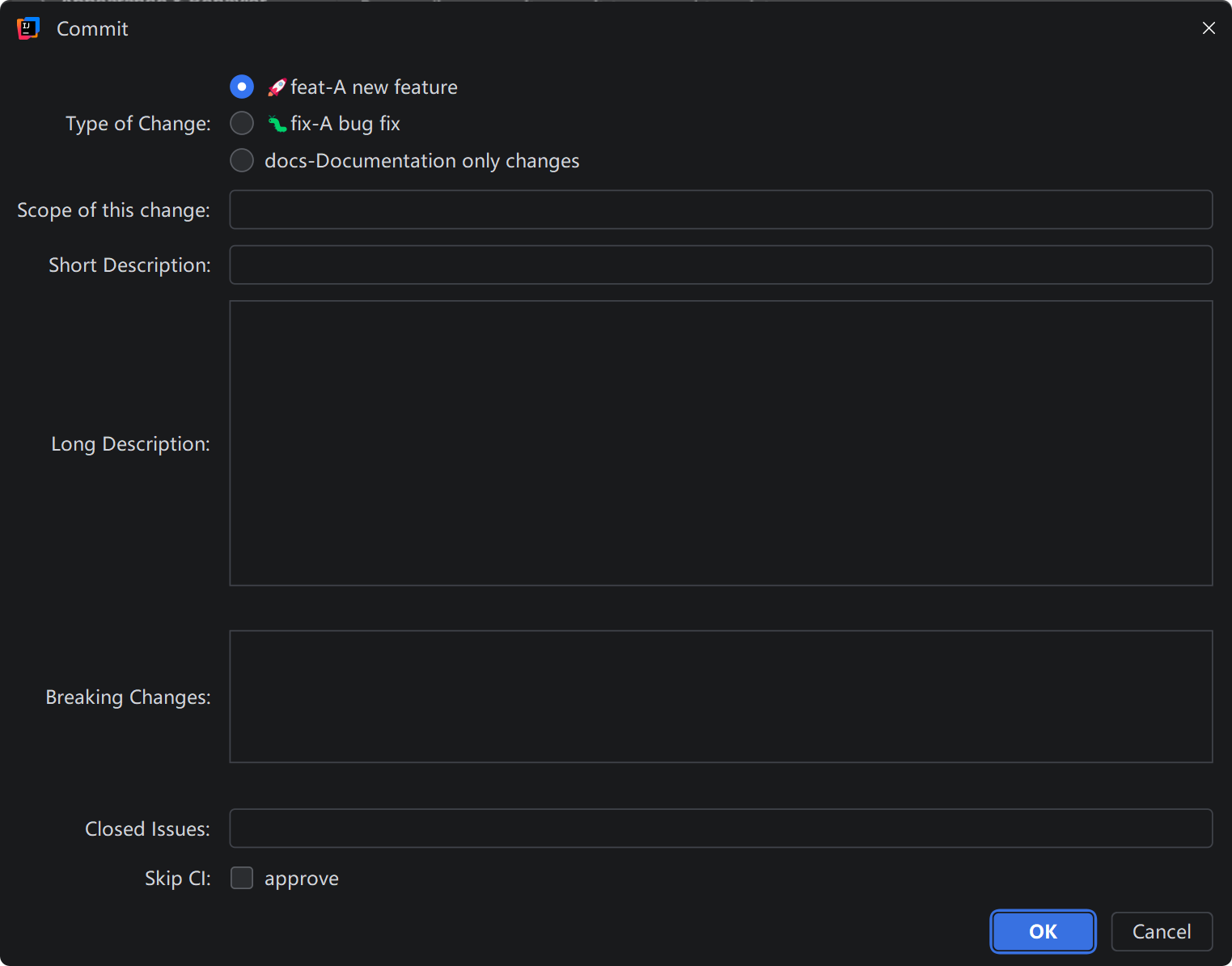
The plugin contributes three actions to the VCS commit message area:
Generate Commit Message: generates a message from the currently selected changes.Format Commit Message: rewrites the current commit message to fit the configured template.Create Commit Message: opens the structured editor for manual commit composition.
Each action can be individually shown or hidden from the plugin settings.
Out of the box, the plugin uses a Conventional Commit style template similar to:
type(scope): subject

body

BREAKING CHANGE: changes

Closes issue

[skip ci]
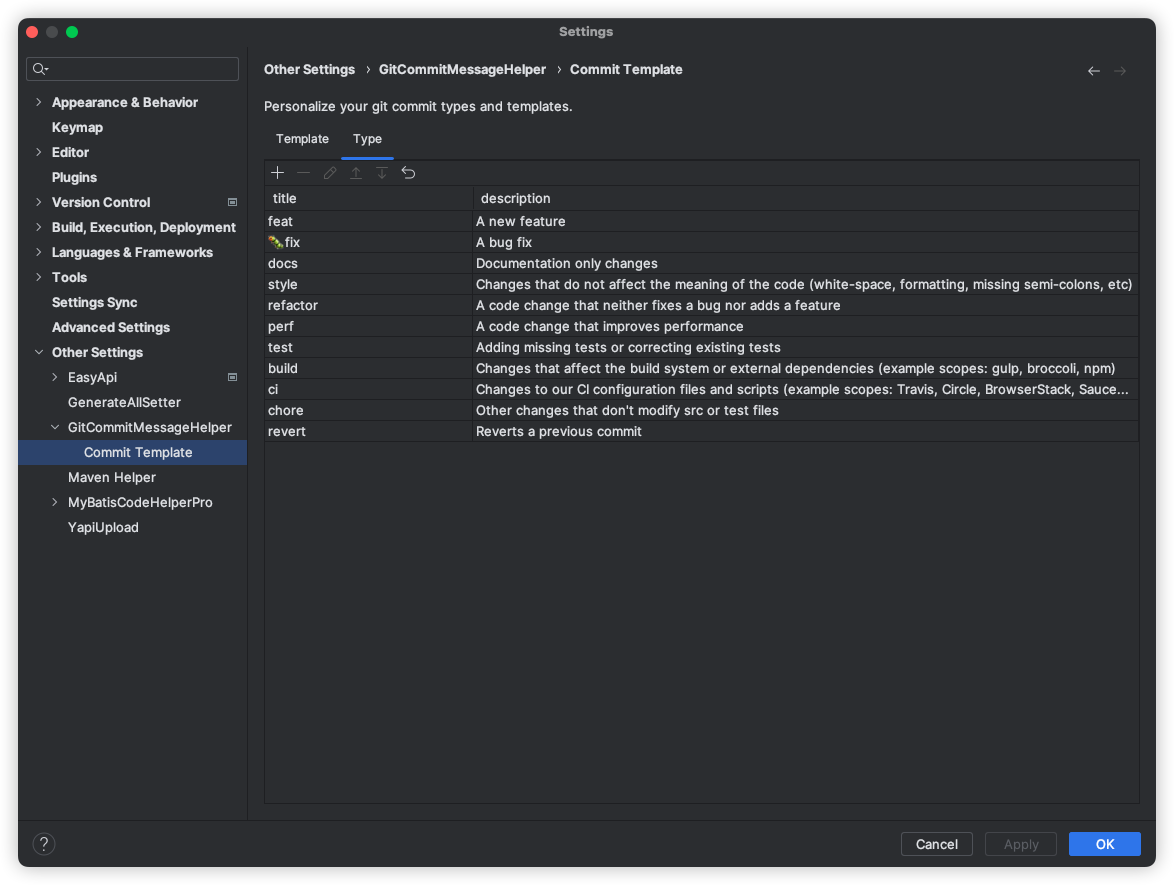
The default commit types are:
feat, fix, docs, style, refactor, perf, test, build, ci, chore, revert
Everything here is configurable, including the template text, visible fields, type list, display style, and skip-CI presets.
Install from the JetBrains Marketplace inside your IDE:
File -> Settings -> Plugins -> Marketplace -> Git Commit Message Helper
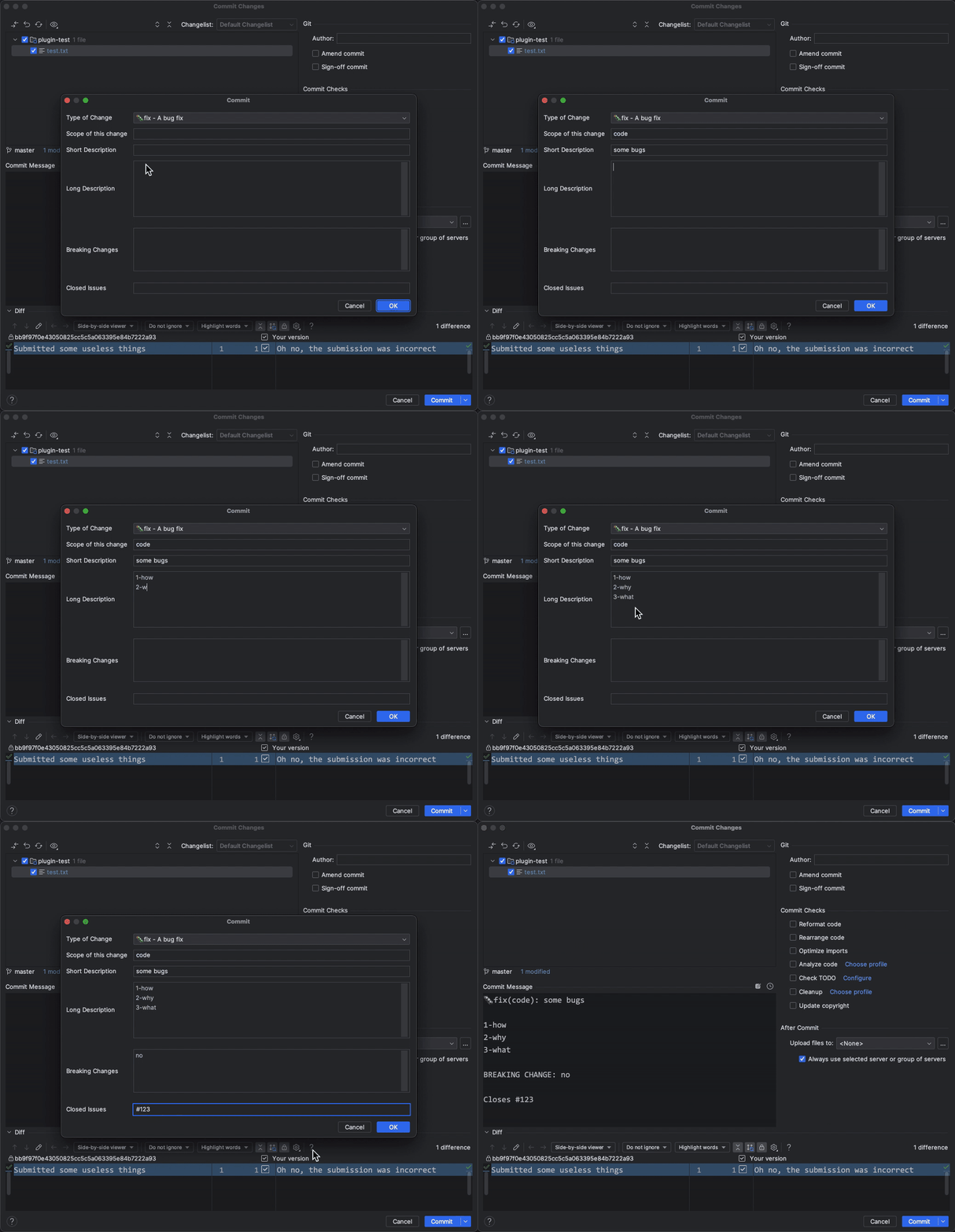
Use the action buttons in the commit panel to generate, format, or manually build a commit message. The structured dialog is useful when you want strict control over each field, while the LLM actions help when you want a faster draft based on the selected diff.
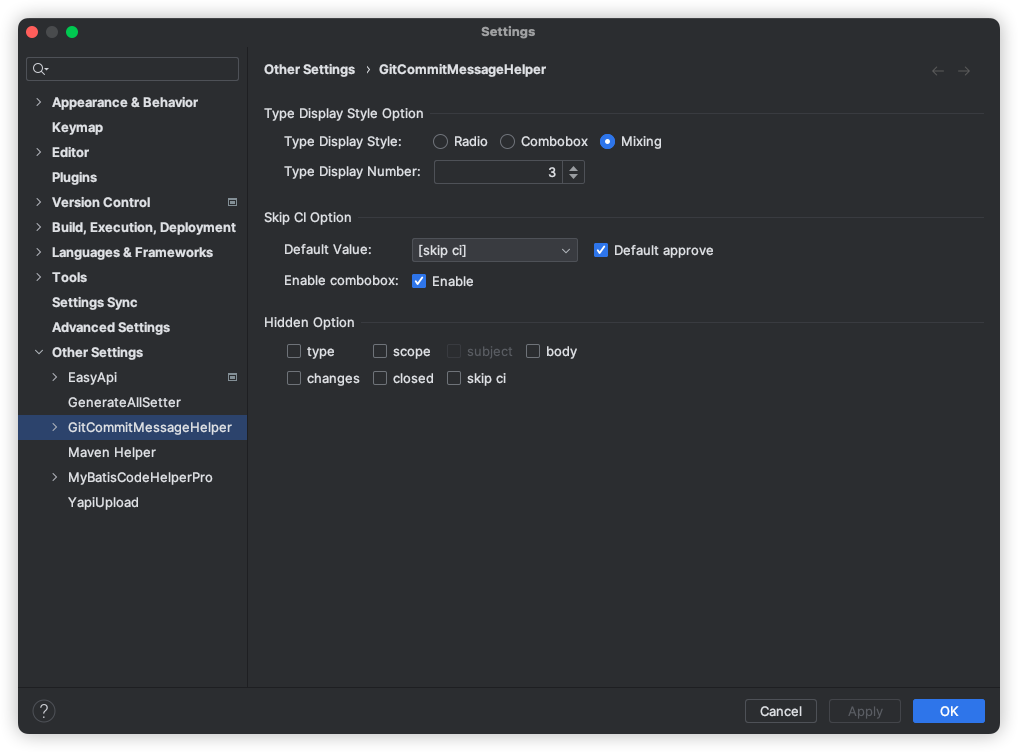
Open the plugin settings from:
File -> Settings -> GitCommitMessageHelper
You can configure:
- Type display mode and how many type options are shown inline
- Which commit fields are hidden in the editor
- Skip-CI presets and defaults
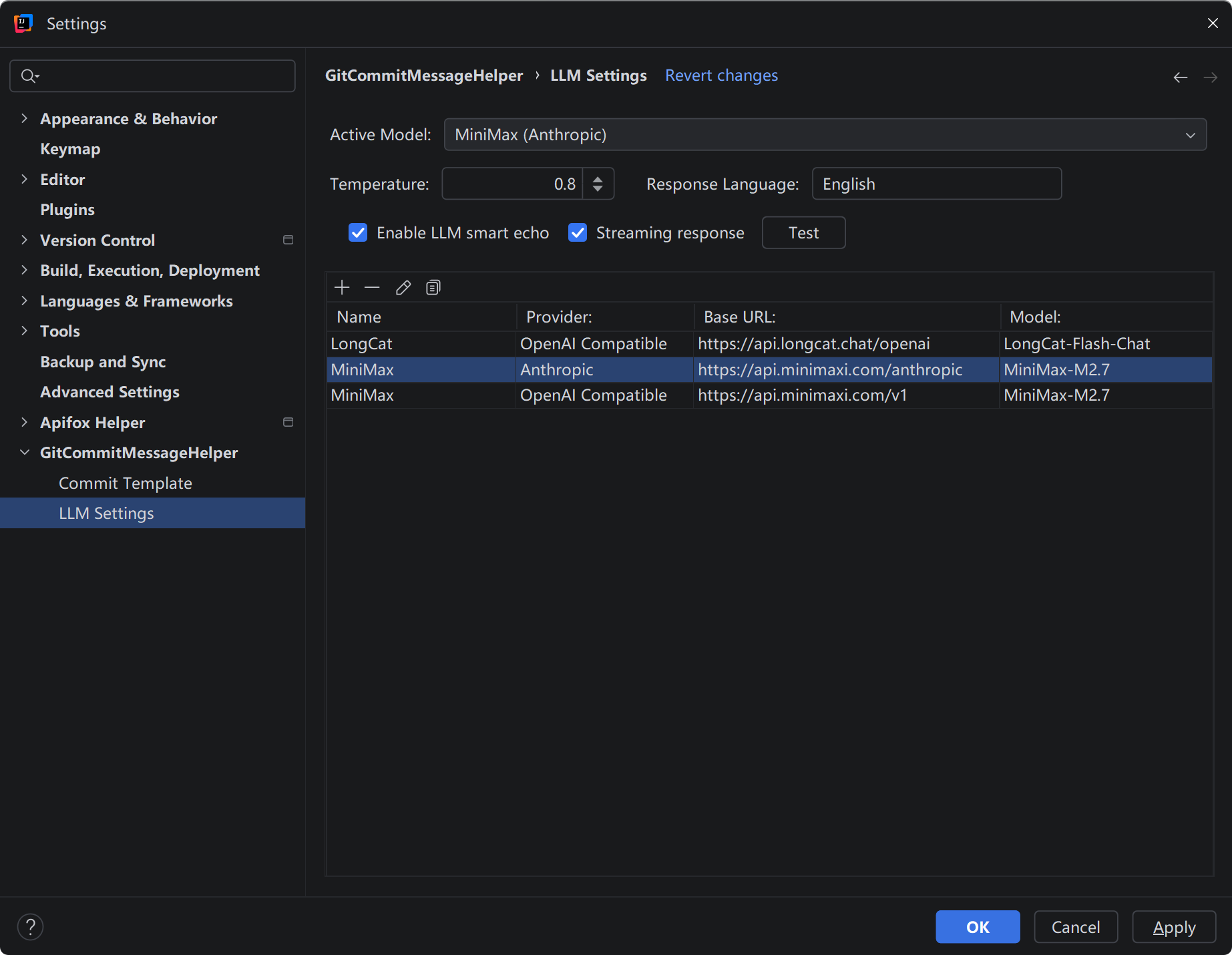
- LLM provider, base URL, API key, model, temperature, response language, and Smart Echo
- Reusable prompts with global and project defaults
- Visibility of the four commit actions
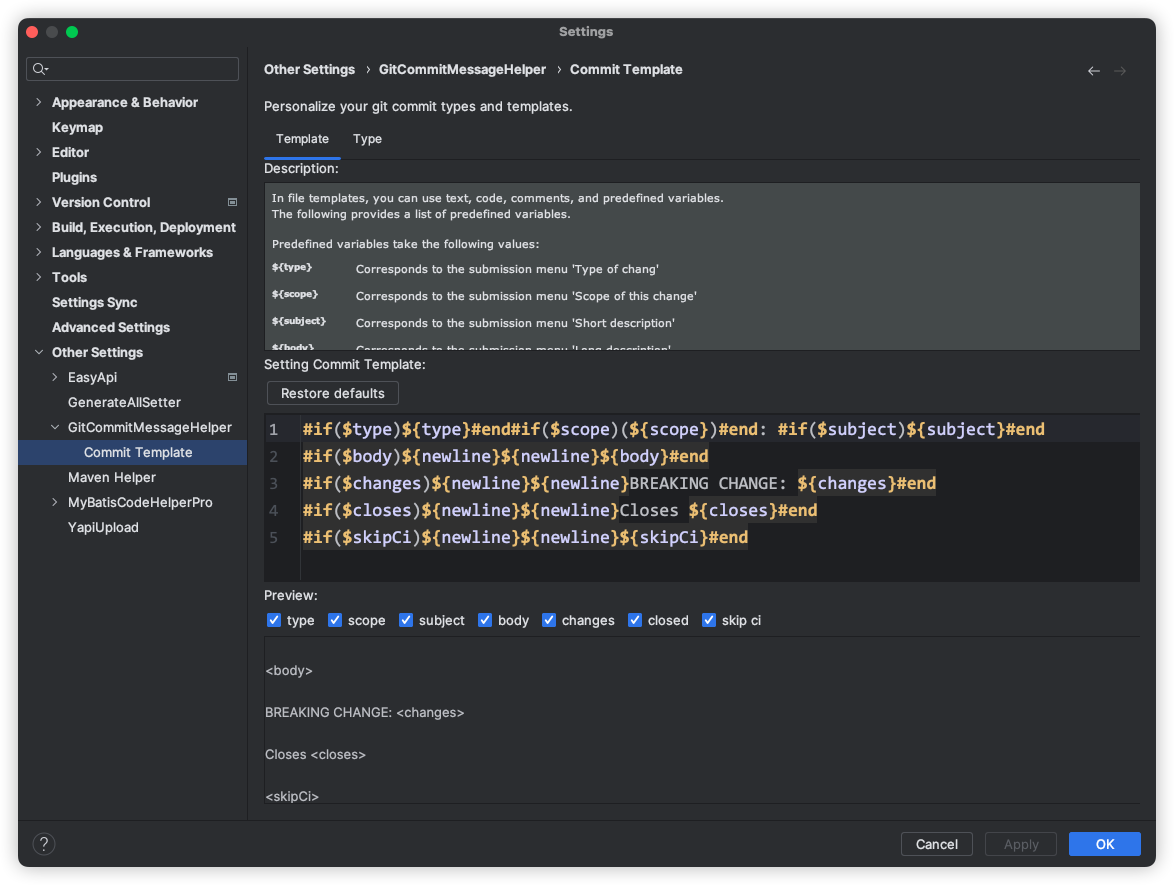
The commit template is powered by Apache Velocity, so you can fully customize how the final commit message is rendered.
You can edit the allowed commit types and their descriptions to match your team's workflow.
You can configure the LLM provider, endpoint, credentials, model, temperature, response language, and Smart Echo behavior from the dedicated settings page.
The Prompts settings page lets you create, rename, edit, and delete reusable prompts, then select separate global and current-project defaults. A project prompt takes precedence; when the project has no valid selection, the global default is used. The empty built-in Default prompt cannot be deleted and preserves the original behavior when no customization is needed.
The selected prompt applies to LLM commit generation and formatting, but not to Smart Echo parsing of an existing commit message. Generate with Additional Context can still add issue references, Skip CI instructions, or other requirements for a single request.
A commit generation request is composed approximately as follows:
System Prompt
  You are a senior engineer and Git maintainer.
  Analyze the selected changes, identify the primary intent,
  fill the commit template fields, and return only the requested JSON.

  Persistent User Preferences
  <current project prompt, or the global prompt when none is selected>

  Custom preferences cannot override the required JSON shape,
  commit template, allowed types, git diff, or output constraints.

User Prompt
  - Internal analysis instructions
  - JSON output shape and field rules
  - Additional context for this request, when provided
  - Allowed commit types
  - Current Velocity template and its preview
  - Changed files, diff statistics, and the actual Git diff
The effective priority is:
- Built-in JSON, template, and allowed-type constraints
- The current project's default prompt, falling back to the global default
- Additional context entered for the current generation
- The Git diff and actual code facts; prompts cannot require invented changes
The LLM returns the structured fields type, scope, subject, body, changes, closes, and skipCi. The plugin then renders the final commit message locally with the active Velocity template.
The plugin now supports two LLM provider modes:
OpenAI CompatibleAnthropic
Your configured Base URL can be either:
- a full endpoint ending with
/chat/completions - or a server base URL such as
https://api.openai.com/v1, in which case the plugin automatically appends/chat/completions
The request uses:
Authorization: Bearer <API Key>- JSON fields including
model,temperature,stream, andmessages
This mode works with services that expose an OpenAI-style Chat Completions interface.
For Anthropic, use a base URL such as https://api.anthropic.com. The plugin automatically calls /v1/messages.
The request uses:
x-api-key: <API Key>anthropic-version: 2023-06-01- JSON fields including
model,system,messages,temperature,max_tokens, andstream
This mode talks to Anthropic's native Messages API instead of relying on an OpenAI-compatible gateway.
When Smart Echo is enabled and the commit panel already contains text, the manual commit dialog can ask the LLM to parse the current message back into structured fields like type, scope, subject, body, changes, closes, and skipCi. This is useful when you want to refine an existing draft in the structured editor instead of starting over.
- Built with Java 11
- Uses the Gradle IntelliJ Plugin
- Targets IntelliJ Platform
2020.3+
Useful commands:
./gradlew runIde
./gradlew buildPluginLicensed under the Apache License 2.0.